Agents & recruiting
See your roster, roles, agent pipelines and recruiting work in one place.
THE COMPLETE BROKERAGE DASHBOARD
Bring agents, buyers, sellers, listings, leases and property management into one connected view. See the pipeline, keep the next step clear, and give your team a shared place to work.
Tell us a time that works for you. We’ll confirm your demo by email.
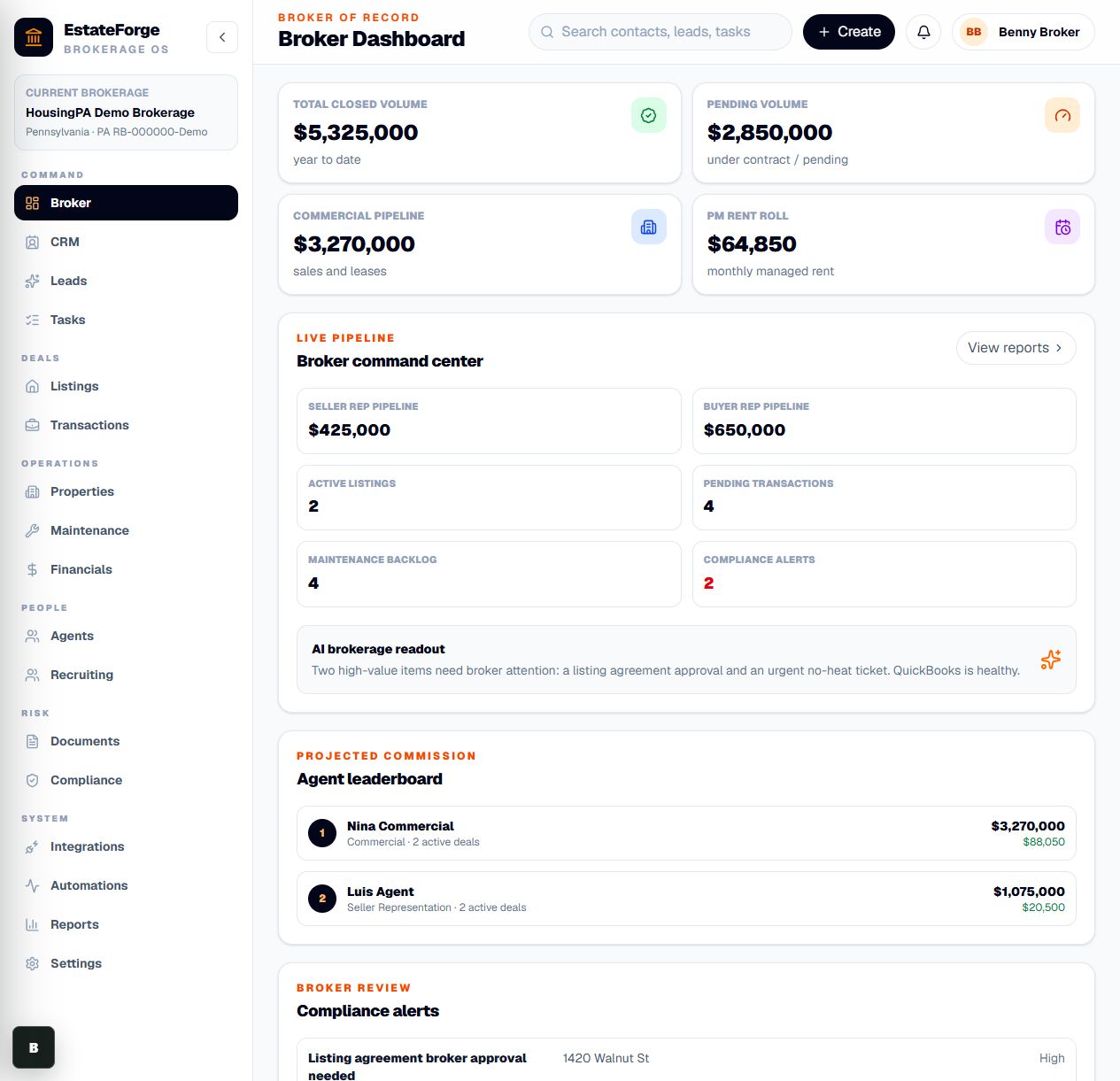
Actual application screen · sample brokerage and illustrative records.
The broker, the agent and the manager work from the same operational picture — with the records behind each next step.
See your roster, roles, agent pipelines and recruiting work in one place.
Keep CRM contacts, leads, representation work and follow-up tasks connected.
Follow active listings, pending deals, closings and commission information.
Bring commercial opportunities and lease activity into the brokerage pipeline.
See properties, maintenance and financial records alongside brokerage operations.
Bring documents, compliance alerts, reports and integration settings into the review flow.
THE WORKFLOW
Start with the broker dashboard and the items that need attention.
Open the people, transaction or property behind an item.
Use tasks and shared records to keep the team moving.
INSIDE THE APPLICATION
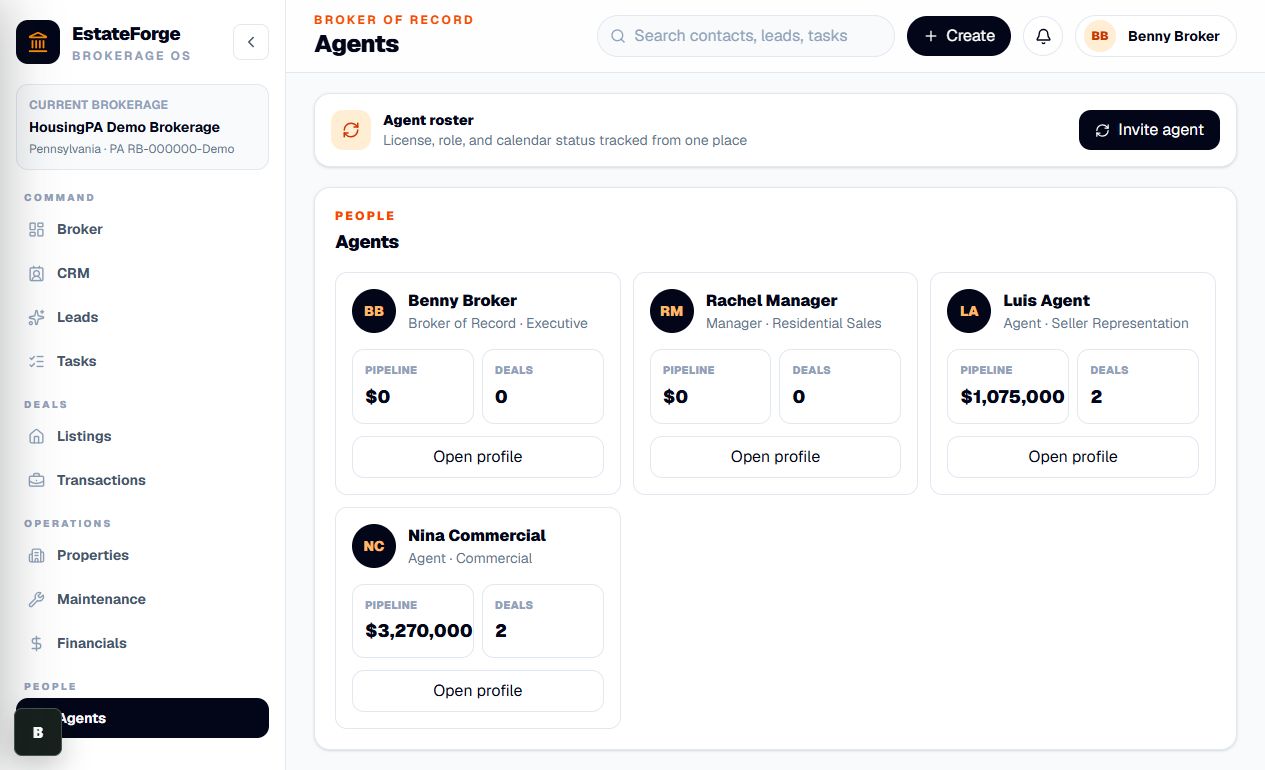
The actual agent roster shows roles, pipelines and deal counts. Sample data.
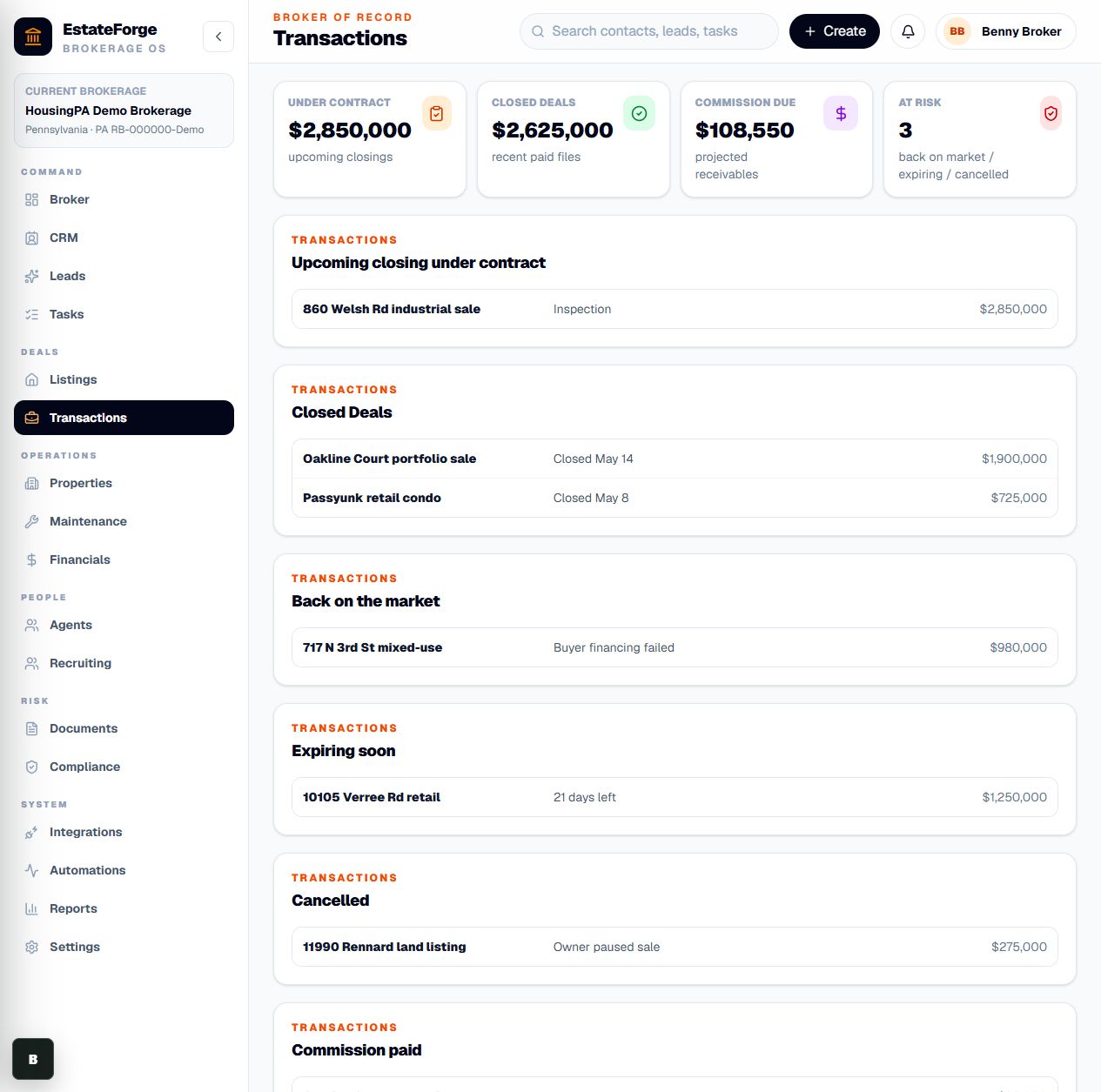
The actual transaction view brings pending, closed and at-risk work together. Sample data.
30-SECOND INTRODUCTION
A quick look at the work this product brings together.
Computer-generated voiceover · captions included. Actual app screens use sample data.
Tell us a time that works for you. We’ll confirm your demo by email.
Screens show the current application with sample data. Your demo will cover available features and the connections your brokerage needs.